How to set a static IP to Ubuntu Server

In computing, a network interface is a system’s (software and/or hardware) interface between two pieces of equipment or protocol layers in a computer network.
A network interface will usually have some form of network address. Below I show how to setup a network interface with IPv4.
01 – Getting superuser access
In Ubuntu:
# sudo su
> # su –
02 – Edit interface settings
Edit the interfaces file:
# nano /etc/network/interfaces
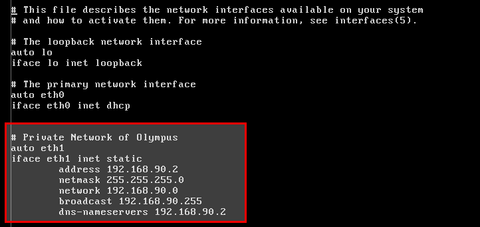
Restart network service:
# /etc/init.d/networking restart
03 – Test
To test if everything is working ok, run:
# ifconfig
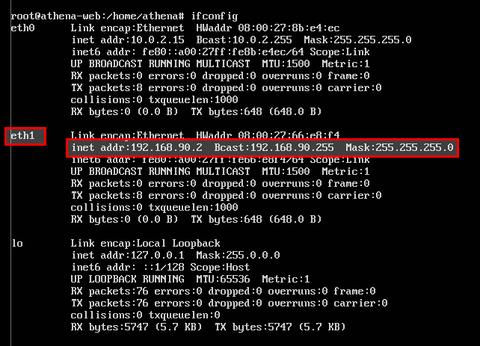
And that’s it. Any question, just leave a comment below.
See ya!
